Transcribe any text on the screen instantly
Developed by an indie developer called OneMoreGres, ScreenTranslator is a language and translation software that quickly translates text from any opened window. With the powerful combination of screen capture, optical character recognition (OCR) engine, and translation tool, it is capable of instantly transcribing the text seen on the screen. It also works regardless of the language that you might want the text to be translated to as it supports translation for numerous languages.
Top Recommended Alternative
Prompt and easy translation
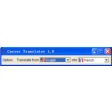
Once you run the program, it will be seen in your system tray as it doesn't have its main window. Through the user-defined hotkey, you will be able to capture your desired screen area and you will then select the certain region you want to translate through drag-and-drop functions. With the help of Tesseract's OCR engine, it will automatically recognize the text within the section you highlighted. The translation of that text will immediately be displayed afterward.
You could opt to view the transcribed text in a popup window located just below the original text or in a notification balloon displayed in your system tray. Just click the popup window from the screen, if you're done viewing or copying it. If by chance, you clicked the popup window by mistake. You don't have to worry much as it can show the last translated text using a shortcut key.
On the other hand, to paste translations with ease in other apps, you can send them to the clipboard. All of the translation Screen Translator provides comes from Google Translate. This is something that can, unfortunately, be inaccurate at times. Aside from that, this tool can only translate from English to other languages as it is the only source text that the Tesseract engine solely supports. These are the major drawbacks that you have to take into consideration.
Unreliable translator source
Screen Translator is excellent at providing an instant translation of various types of text. However, the translation it shows can't really be trusted especially having Google Translator as its main source. It is no secret to many that this translator web-app often gives an ambiguous text transcription. It would be best if the developer could consider using other more reliable or precise translation sources for future updates.


.png)